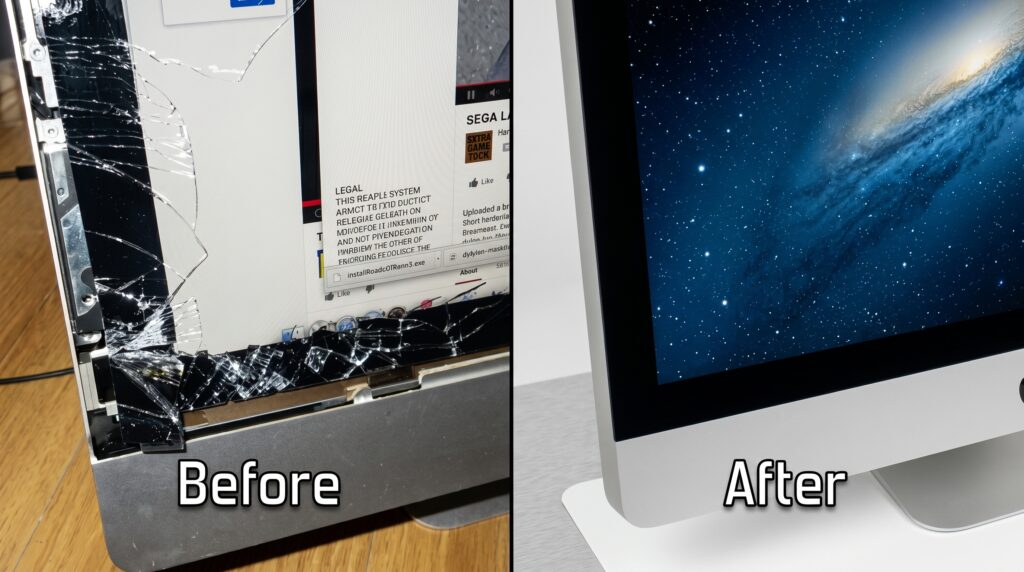
A cracked display, flickering lines, dim backlight, or a monitor that suddenly goes black can stop your work instantly. The big question most people ask next is: Should I go for monitor screen repair or full replacement?
In this guide, CyBER COMPUTERS (Aurangabad) explains the most practical way to decide—based on cost, damage type, monitor age, and parts availability—so you can choose the best option for computer screen repair without overspending.
Common Monitor Screen Problems (And What They Usually Mean)
Before choosing between repair and replacement, identify the symptom:
If you’re searching “monitor screen repair near me”, a quick diagnosis from a technician can confirm whether it’s the panel or a repairable component.
What “Monitor Screen Repair” Usually Means
In many cases, “repair” doesn’t mean fixing the glass—it means fixing the internal components such as:
These repairs can be cost-effective and extend your monitor’s life.
What “Replacement” Usually Means
Replacement can be either:
Panel replacement is often expensive because panels cost a large percentage of the monitor’s total price.
When Replacement is Better
Replacement is often the smarter choice when:
The panel is cracked or bleeding
If you see ink-like blotches, spider cracks, or liquid crystal “bleed,” the panel is damaged.
Panel cost is too high
For many budget monitors, panel replacement approaches the cost of a new monitor.
The monitor is very old
If it’s older and parts aren’t available, replacement avoids repeat breakdowns.
You want an upgrade anyway
| Factor | Repair (Best When…) | Replacement (Best When…) |
|---|---|---|
| Screen cracked | Rarely worth it | Usually recommended |
| Flickering/blank/dim | Often repairable | Only if repair cost is high |
| Cost | Lower for board/backlight | Better if panel is expensive |
| Monitor age | 1–5 years | 6+ years (often) |
| Availability of parts | Easily available | Parts not available / discontinued |
A practical guideline many technicians use:
This is especially true for common computer screen repair cases where the panel is the expensive component.
When you visit a repair shop, ask these questions:
A transparent diagnosis prevents spending money on the wrong fix.
Many people replace a monitor assuming it’s “dead,” but common causes can be simple:
A professional check helps confirm if monitor screen repair is possible and avoids unnecessary replacement.
If you’re in Aurangabad and searching for:
CyBER COMPUTERS can inspect the issue, explain whether repair is practical, and guide you to the most cost-effective option.
Call/WhatsApp to book an appointment for a monitor check-up and get a clear repair vs replacement recommendation.
A cracked panel usually needs panel replacement, not repair. In many cases, replacing the whole monitor is more cost-effective.
It could be a cable issue, port issue, backlight failure, or internal board fault—many of these are repairable after diagnosis.
Yes, if the problem is with power/backlight/ports and the cost is reasonable compared to buying a new monitor.